Every business is being sold an AI chatbot, and for good reason. Around 80% of companies are using or planning to adopt one for customer service, they can handle up to 80% of routine questions, and they cost roughly $0.50 to $0.70 per interaction against $6 to $15 for a human. The problem is that most chatbots get bolted on, frustrate customers, and quietly get switched off. The difference between the ones that work and the ones that fail comes down to one thing: whether the chatbot is built on your business or on someone else's template.
This guide covers what an AI chatbot actually does, why generic ones fall short, and when it is worth building your own.
What an AI chatbot actually does
A good AI chatbot answers common questions instantly, around the clock, deflects repetitive support tickets, qualifies and routes incoming leads, and hands off cleanly to a human when a query needs one. The economics are why everyone wants one: a human handles a routine query for several dollars, a chatbot for cents.
And customers are fine with it, as long as it works. 82% would rather use a chatbot than wait for a human for a quick, simple request. The catch is in those last three words.
Chatbot or agent: know the difference
This is the distinction most vendors blur. A chatbot answers. An agent acts. Ask a chatbot about your refund policy and it explains it. Give an agent the goal, and it processes the refund, updates the order, and emails you. If you want the full picture of the acting side, we cover it in what agentic AI actually means.
Most businesses need a genuinely good chatbot first. Some workflows justify a true agent. Either way, the lesson holds: cost savings only show up when the AI actually resolves the issue, not when it just deflects to a cheaper channel that still fails, and resolving requires access to your real systems.
Why generic AI chatbots fail
A generic, bolted-on chatbot fails for predictable reasons:
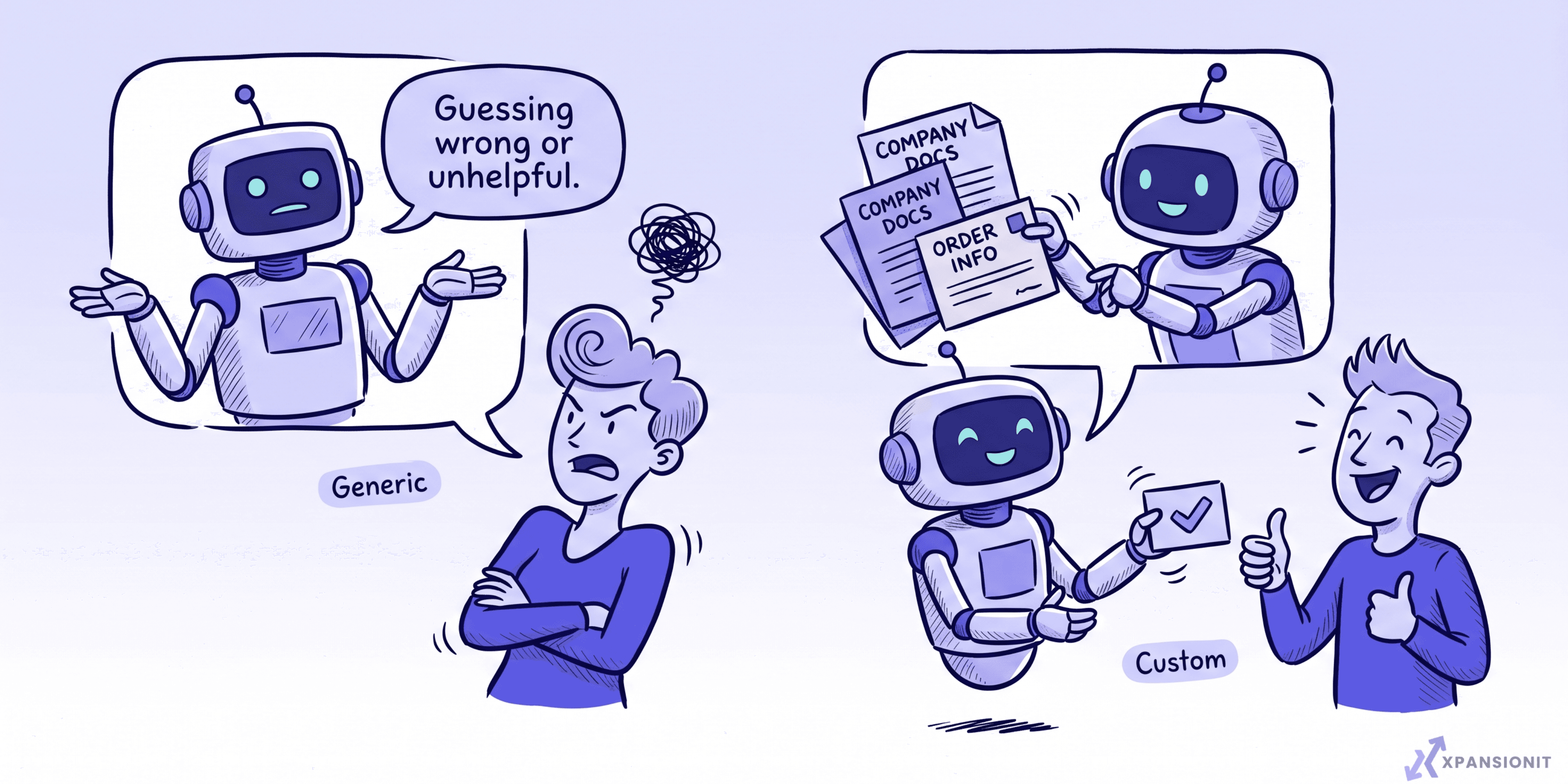
- It is trained on generic data and does not know your products, policies, or process, so its answers are vague or wrong.
- It cannot see your real information, like orders, bookings, or stock, so it guesses, and a guessing chatbot erodes trust fast.
- Its rigid scripts frustrate people, and it has no clean handoff to a human when it gets stuck.
This is not a small problem. Around 47% of companies that adopted AI support saw flat or rising costs because they bolted AI onto broken workflows instead of redesigning them. Customers are not anti-AI, they are anti-bad-AI: 79% still prefer a human precisely when they expect the bot to fail them.
What makes a custom AI chatbot work
A chatbot earns its place when it is built on your business, not a template:
- It runs on your knowledge. Trained on your own documents, site, and policies through retrieval, so its answers are accurate and specific to you.
- It connects to your systems. Linked to your orders, bookings, or CRM so it can actually resolve a request, not just talk about it. This is the heart of proper AI integration, and once a chatbot starts taking real actions it shades into agentic workflow automation.
- It hands off cleanly. When a query needs a person, it passes the full context across, so the customer never repeats themselves.
- It has guardrails. Built so it says "let me get a human" rather than inventing an answer.
- It sounds like you. On-brand tone, not a robotic script.
When a chatbot qualifies leads, those leads should flow straight into your system, which is exactly where an AI CRM earns its keep.
When off-the-shelf is the right call
Be honest about scale. If you have a small site, a tight budget, and only a handful of simple FAQs, an off-the-shelf chatbot is fine and fast to set up. Go custom when you need it accurate on your own data, integrated with your systems, on-brand, and able to resolve rather than just deflect. The real example to aim at: Australian health insurer NIB saved around $22 million and cut customer service costs by 60% with AI assistants, the kind of result that comes from proper integration, not a bolted-on widget.
How to build one that actually helps
- Pick one job. Support deflection or lead qualification, not "a bot for everything."
- Feed it your knowledge. Connect it to your real documents and information so it answers from your world.
- Connect it to your systems so it can resolve, not just reply.
- Add guardrails and a clean human handoff.
- Capture leads properly, routing them into your CRM. If you are weighing how to do that, see building your own AI CRM.
- Measure resolution, not just deflection, and watch the per-message AI cost so the economics stay sound.
If you want a wider view of where to apply AI across the business, start with AI integration for Australian businesses and what to automate first with AI agents.
How to start
Pick your single highest-volume, most repetitive question type. That is your first chatbot job. Build it on your real information, connect it so it can actually resolve the request, and measure whether problems get solved, not just whether tickets get deflected. Prove that one, then expand.
The short version
An AI chatbot can answer customers instantly, deflect repetitive tickets, and qualify leads at a fraction of the cost of a human. But generic, bolted-on bots fail because they do not know your business or see your data, which is why so many deployments save nothing. A custom AI chatbot, built on your knowledge, connected to your systems, with guardrails and a clean handoff, actually resolves problems and pays for itself. Start off-the-shelf for the simplest needs, and build custom when accuracy and integration matter.
If you are weighing a custom AI chatbot, you can book an intro call and we will tell you honestly whether it is worth building for your case.